

Industrial Ethernet Switch Configuration: Advantech EKI-2741SX VLAN Segmentation, PROFINET Topology Design, Ring Redundancy Protocol, Port Mirroring for Factory Automation Network

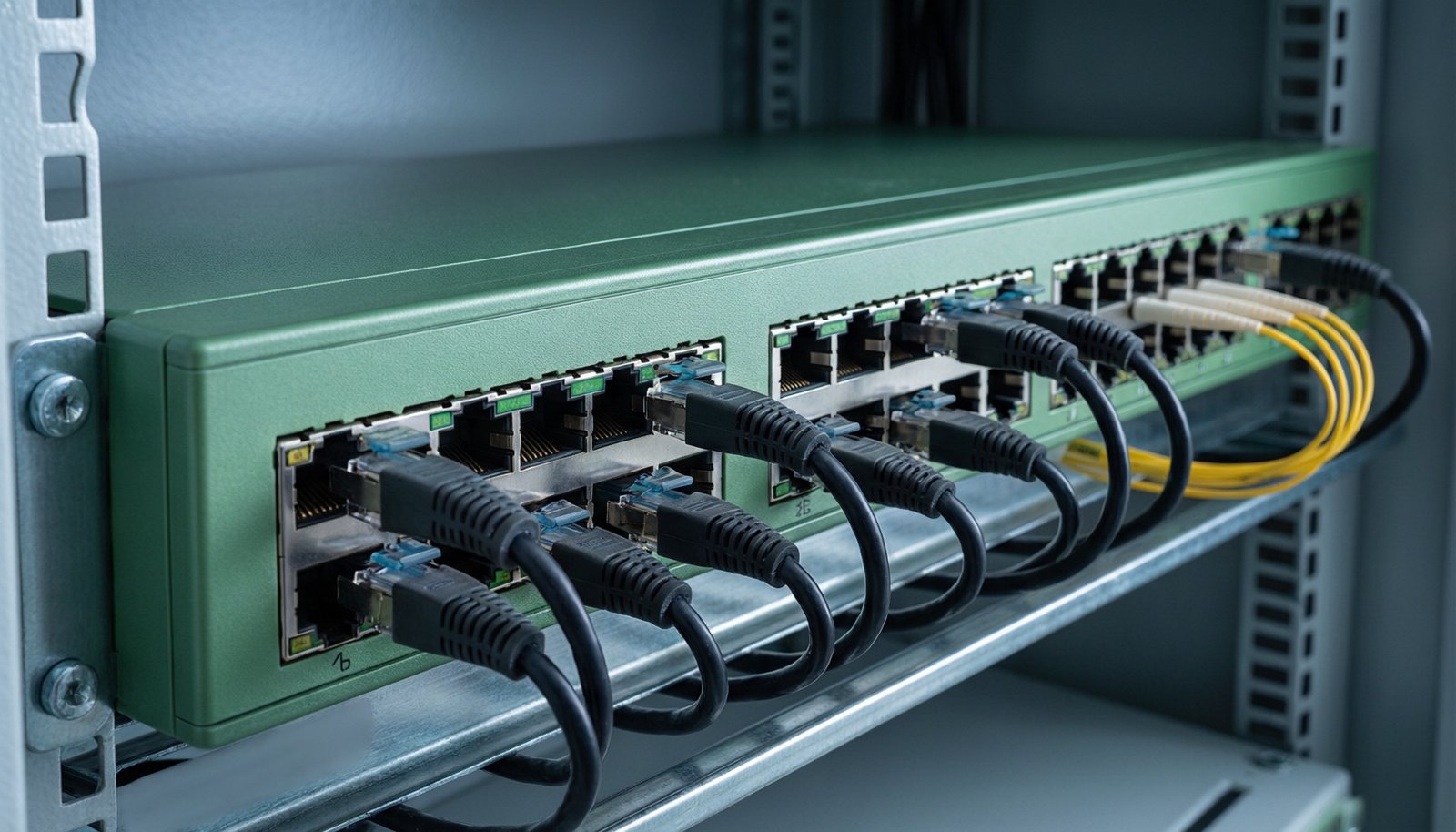
Industrial Ethernet Switch Configuration: Advantech EKI-2741SX VLAN Segmentation, PROFINET Topology Design, Ring Redundancy Protocol, Port Mirroring for Factory Automation Network
Introduction: Network Infrastructure Requirements in Factory Automation
In the realm of factory automation, the network infrastructure serves as the backbone that ensures seamless communication between various industrial devices, controllers, and systems. The complexity and critical nature of industrial operations demand a robust, reliable, and secure network architecture. Industrial Ethernet switches play a pivotal role in this setup, facilitating data exchange, supporting real-time communication protocols like PROFINET, and ensuring network redundancy and fault tolerance.
Modern factories rely on Ethernet-based networks to connect programmable logic controllers (PLCs), human-machine interfaces (HMIs), sensors, actuators, and other automation components. These networks must handle high volumes of data, support deterministic communication, and operate in harsh industrial environments characterized by electromagnetic interference, temperature fluctuations, and vibration.
Selecting the right industrial Ethernet switch is crucial for maintaining network integrity and performance. The Advantech EKI-2741SX Ethernet Switch is a prime example of a device designed to meet these demanding requirements. It offers features such as VLAN segmentation, ring redundancy protocols, and port mirroring, which are essential for building a resilient and efficient industrial network.
This article delves into the configuration and application of the Advantech EKI-2741SX in factory automation, covering topics such as initial setup, VLAN segmentation, PROFINET topology design, ring redundancy protocols, and port mirroring. Additionally, we will compare the EKI-2741SX with other industrial Ethernet switches, such as the Garrettcom 6K16V-24VDC Managed Industrial Ethernet Switch, to provide a comprehensive understanding of their capabilities and suitability for different applications.
Advantech EKI-2741SX Initial Setup and Web Interface
IP Address Configuration and Default Login
Configuring the Advantech EKI-2741SX begins with setting up the IP address and accessing the device’s web interface. By default, the switch is assigned a static IP address, typically in the 192.168.1.x range. To connect to the switch, ensure that your computer is on the same subnet. Use the default login credentials, which are usually “admin” for both username and password, to access the web interface.
Once logged in, navigate to the network settings section to configure the IP address to match your network requirements. It is advisable to change the default login credentials to enhance security. The web interface provides a user-friendly platform for configuring various parameters, including port settings, VLANs, and redundancy protocols.
Port Speed and Duplex Setting
The EKI-2741SX supports auto-negotiation for port speed and duplex mode, allowing the switch to automatically determine the optimal settings based on the connected device. However, for applications requiring deterministic performance, it is recommended to manually set the port speed and duplex mode.
To configure these settings, navigate to the port configuration section in the web interface. Select the desired port and choose the appropriate speed (e.g., 10 Mbps, 100 Mbps, or 1000 Mbps) and duplex mode (half or full). This ensures consistent and reliable communication between the switch and connected devices.
DIN Rail Mounting and Environmental Considerations
The EKI-2741SX is designed for industrial environments and can be mounted on a standard DIN rail. This mounting option allows for easy installation in control cabinets and other industrial enclosures. When mounting the switch, ensure that there is adequate ventilation and that the ambient temperature is within the operating range specified by the manufacturer.
The switch is built to withstand harsh conditions, including wide temperature ranges, humidity, and vibration. It is equipped with robust housing and connectors that provide protection against dust and moisture. For environments with high electromagnetic interference, consider using shielded cables and proper grounding techniques to ensure reliable operation.
VLAN Segmentation for OT Network Security
Port-Based vs Protocol-Based VLAN Assignment
VLAN segmentation is a critical aspect of network security in industrial environments. It allows for the logical separation of network traffic, enhancing security and performance. The EKI-2741SX supports both port-based and protocol-based VLAN assignment.
Port-based VLANs assign VLAN IDs based on the physical ports, while protocol-based VLANs categorize traffic based on the protocol type (e.g., PROFINET, EtherNet/IP). For instance, Ethernet to Fiber Converter Advantech ADAM-6541 Industrial can be integrated with the EKI-2741SX to extend VLAN segmentation over fiber optic connections, providing enhanced security and noise immunity.
Tagged and Untagged Port Configuration
In VLAN configuration, ports can be set as tagged or untagged. Tagged ports add a VLAN tag to the Ethernet frame, allowing multiple VLANs to traverse the same physical link. Untagged ports, on the other hand, do not add a VLAN tag, and the switch assigns the port to a specific VLAN.
Proper configuration of tagged and untagged ports is essential for maintaining network integrity and ensuring that traffic is routed correctly. For example, ports connected to devices that support VLAN tagging, such as routers and other switches, should be configured as tagged ports. Devices that do not support VLAN tagging, such as legacy PLCs, should be connected to untagged ports.
Separating PROFINET and Standard TCP/IP Traffic
Separating PROFINET and standard TCP/IP traffic is crucial for maintaining the real-time performance and reliability of industrial automation systems. PROFINET is a real-time Ethernet protocol used for industrial automation, and it requires deterministic communication to function effectively.
By creating separate VLANs for PROFINET and standard TCP/IP traffic, you can ensure that real-time communication is not disrupted by non-critical data traffic. This separation also enhances security by preventing unauthorized access to critical automation systems.
PROFINET Topology Design and Line Topology
Device Naming and IP Assignment per PROFINET Standard
PROFINET devices must adhere to specific naming and IP assignment conventions to ensure proper communication and network management. Each device is assigned a unique name and IP address, which are used for identification and addressing within the network.
The EKI-2741SX supports PROFINET device naming and IP assignment, allowing for seamless integration with PROFINET networks. When configuring PROFINET devices, ensure that the naming and IP assignment follow the guidelines set by the PROFINET standard to avoid conflicts and communication issues.
Star vs Line vs Ring Topology Selection
Selecting the appropriate network topology is essential for optimizing network performance and reliability. The EKI-2741SX supports various topologies, including star, line, and ring.
- Star Topology: In a star topology, each device is connected to a central switch. This configuration offers high reliability and easy scalability but requires more cabling.
- Line Topology: A line topology connects devices in a linear fashion, with each device connected to the next. This setup is cost-effective but has a single point of failure.
- Ring Topology: A ring topology forms a loop, with each device connected to two others. This configuration offers redundancy and fault tolerance, as data can travel in either direction around the ring.
The choice of topology depends on the specific requirements of the application, such as the number of devices, the need for redundancy, and the physical layout of the facility.
Ring Redundancy Protocol Configuration
MRP vs ERPS vs RSTP Comparison
Ring redundancy protocols are essential for ensuring network availability and fault tolerance. The EKI-2741SX supports multiple redundancy protocols, including Media Redundancy Protocol (MRP), Ethernet Ring Protection Switching (ERPS), and Rapid Spanning Tree Protocol (RSTP).
| Protocol | Recovery Time | Network Diameter | Advantages | Disadvantages |
|---|---|---|---|---|
| MRP | < 50 ms | < 50 devices | Fast recovery, simple configuration | Limited scalability |
| ERPS | < 50 ms | < 200 devices | High scalability, fast recovery | Complex configuration |
| RSTP | 1-3 seconds | No limit | Wide compatibility, easy to implement | Slower recovery time |
Ring Recovery Time and Network Convergence
Ring recovery time refers to the time it takes for the network to recover from a fault, such as a cable break or device failure. The EKI-2741SX, with its support for MRP and ERPS, offers fast recovery times, ensuring minimal disruption to network operations.
Network convergence is the process by which network devices agree on the new topology after a change, such as a link failure or device addition. The EKI-2741SX’s support for advanced redundancy protocols ensures rapid convergence, maintaining network stability and performance.
Port Mirroring for Network Diagnostics
SPAN Port Setup for Traffic Monitoring
Port mirroring, also known as Switched Port Analyzer (SPAN), allows network administrators to monitor and analyze network traffic by copying data from one port to another. The EKI-2741SX supports port mirroring, enabling the setup of a SPAN port for traffic monitoring.
To configure port mirroring, access the web interface and navigate to the port mirroring section. Select the source port whose traffic you want to monitor and specify the destination port where the mirrored data will be sent. This setup allows for the use of network diagnostic tools, such as Wireshark, to analyze traffic patterns, troubleshoot issues, and ensure network security.
Comparison Table: Industrial Ethernet Switch Models
| Feature | Advantech EKI-2741SX | Garrettcom 6K16V-24VDC | Schneider 990 NAD 230 10 | Advantech ADAM-6541 |
|---|---|---|---|---|
| Port Configuration | 8 x 10/100/1000 Mbps | 16 x 10/100 Mbps | 10 x 10/100 Mbps | 1 x 10/100 Mbps |
| Redundancy Protocols | MRP, ERPS, RSTP | RSTP, MRP | RSTP | N/A |
| VLAN Support | Yes | Yes | Yes | Yes |
| Environmental Rating | IP30 | IP31 | IP30 | IP30 |
| Power Supply | 24 VDC | 24 VDC | 230 VAC | 24 VDC |
| Dimensions (WxDxH) | 60 x 105 x 135 mm | 44 x 135 x 155 mm | 70 x 130 x 120 mm | 26 x 94 x 140 mm |
FAQ
1. What is the maximum number of VLANs supported by the EKI-2741SX?
The EKI-2741SX supports up to 256 VLANs, providing ample flexibility for network segmentation and security.
2. Can the EKI-2741SX be used in high-temperature environments?
Yes, the EKI-2741SX is designed to operate in a wide temperature range, from -40°C to +75°C, making it suitable for harsh industrial environments.
3. How does the EKI-2741SX handle network redundancy?
The EKI-2741SX supports multiple redundancy protocols, including MRP, ERPS, and RSTP, ensuring rapid recovery from network faults and maintaining network availability.
4. What is the power consumption of the EKI-2741SX?
The power consumption of the EKI-2741SX is approximately 15 watts under full load, making it energy-efficient for industrial applications.
5. Can the EKI-2741SX be managed remotely?
Yes, the EKI-2741SX can be managed remotely via the web interface or SNMP, allowing for centralized network management and monitoring.
6. What is the warranty period for the EKI-2741SX?
The EKI-2741SX comes with a standard 2-year warranty, with options for extended warranty and support services.
Conclusion and CTA
In conclusion, the Advantech EKI-2741SX is a versatile and robust industrial Ethernet switch that offers essential features for factory automation, such as VLAN segmentation, PROFINET compatibility, ring redundancy protocols, and port mirroring. Its ability to operate in harsh environments and support advanced networking features makes it an ideal choice for industrial applications.
To enhance your factory automation network, consider integrating the EKI-2741SX with other industrial networking devices, such as the Garrettcom 6K16V-24VDC Managed Industrial Ethernet Switch and the Industrial Network Tap Schneider 990 NAD 230 10. These devices, along with the Ethernet to Fiber Converter Advantech ADAM-6541 Industrial, can provide a comprehensive solution for building a secure, reliable, and efficient industrial network.
For more information on the Advantech EKI-2741SX and other industrial networking products, visit our website or contact our sales team for personalized assistance.